RECORDING & DIARY
Record your day.
Review your diary.
Record headache severity and painkillers, add an optional note, and review your entries in Diary.
Get CEFREFRECORD YOUR DAY
Record your headache
Input opens on Today. Choose Today or any of the previous six days, by swiping between days or selecting a date in the calendar. Headache levels 2 and 3 are marked as migraine. Pain level can be increased throughout the day.
01 / Choose headache severity
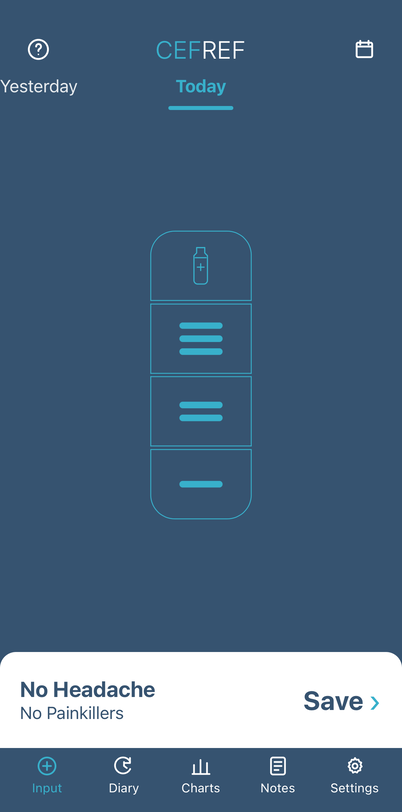
- 1Choose the highest headache severity for the day:
0 = No Headache
1 = Mild Headache
2 = Moderate Headache (migraine)
3 = Severe Headache (migraine)
02 / Choose a recent date
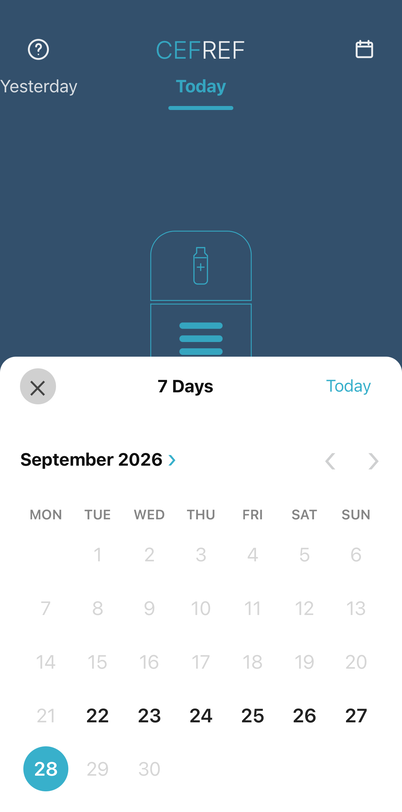
- 2Use the calendar to choose Today or any of the previous six days.
PAINKILLERS
Record any painkillers used
Select every relevant type for the day. The example shows Triptan selected. Additional painkillers can be added throughout the day.
03 / Choose painkillers

- 1S = Simple
T = Triptan
G = Gepant
O = Opioid
Select all that apply.
SAVE & NOTES
Finish your daily entry
Tap Save to open the note choice. Choose Save Without Note to complete the entry, or Add Note and then tap the final Save.
04 / Start saving your entry
- 1Tap Save to open the choice to add a note or save without one.
05 / Add a note or save without one
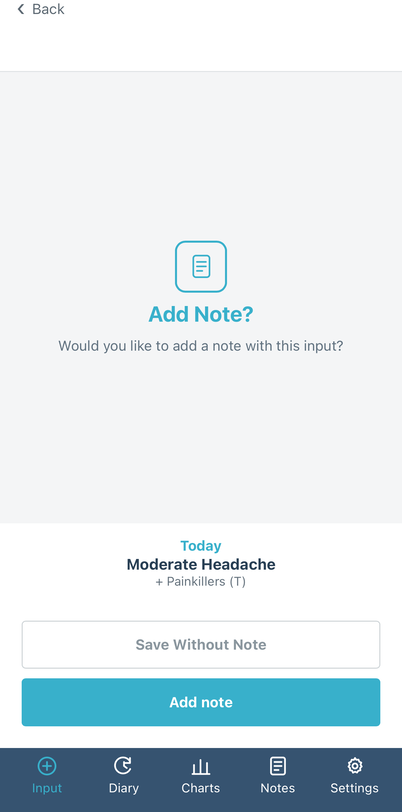
- 2Choose Save Without Note to complete the entry, or Add Note to write one.
06 / Write your note and save
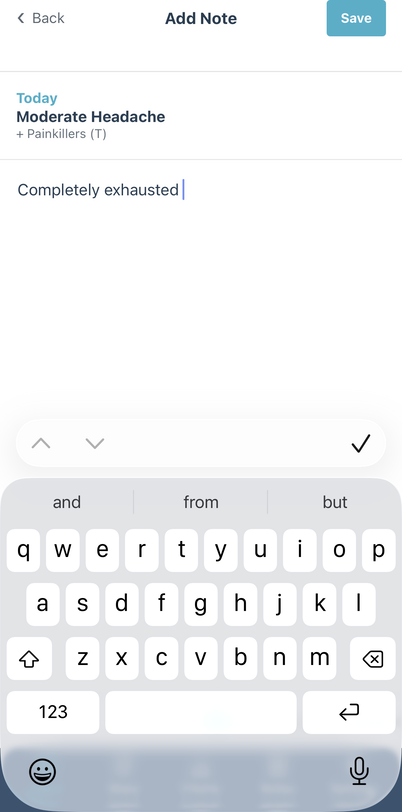
- 3Write your note, then tap the final Save to complete the entry.
VIEW YOUR DIARY
Review your saved days
Open Diary from the app's bottom navigation. By default, it shows a 28-day period ending Today; previous periods step back by 28 days. You can choose Calendar Month instead in Settings → Diary Display.
07 / Overview and notes
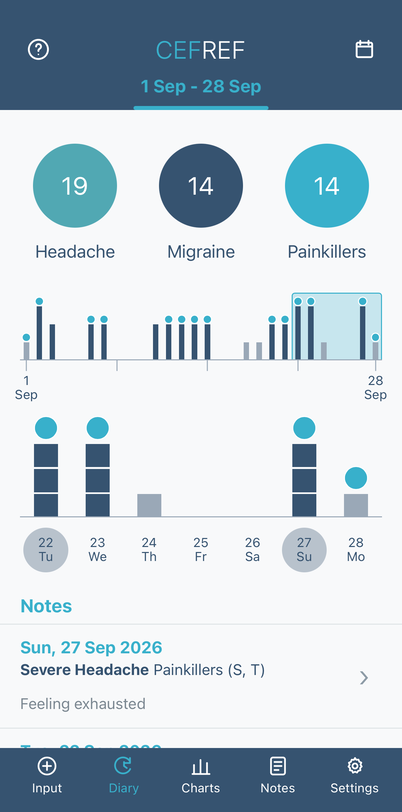
- 1The circles count Headache, Migraine and Painkiller days in the selected 28-day period.
- 2Move the blue window across the overview chart to find your date.
- 3See the selected seven days in the lower chart.
- 4If you added a note, find it in the Notes list.
08 / Open a recorded day
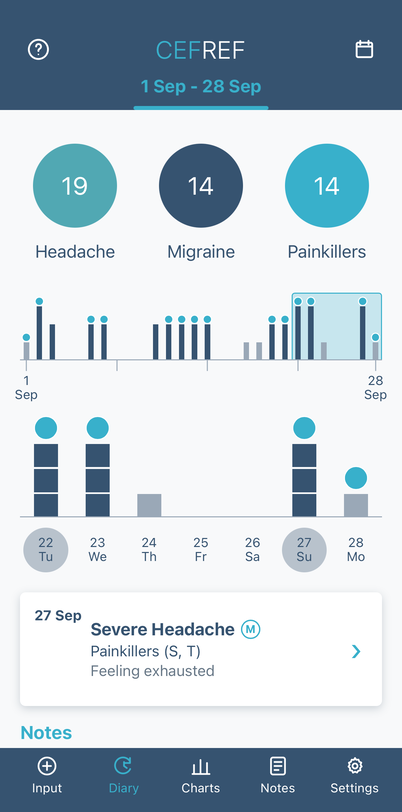
- 5Tap a recorded day to view its headache level, painkillers and any note.
09 / Move between periods
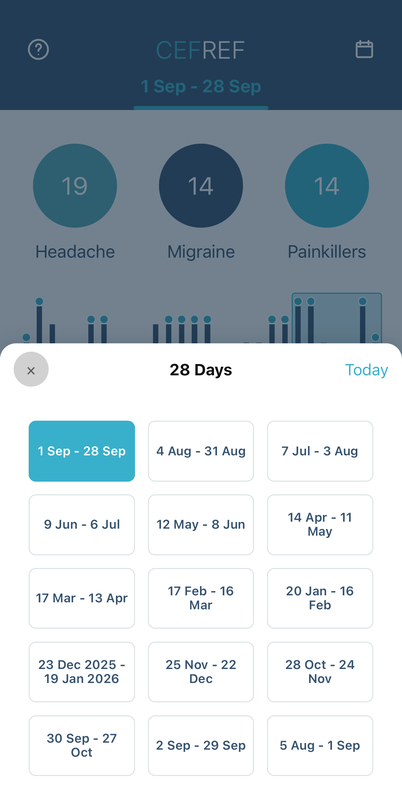
- 6Tap the calendar icon to choose another available Diary period.
KEEP EXPLORING
Explore CEFREF in more detail
For longer-term patterns or app controls, choose a dedicated guide.
Important
CEFREF is a recording and review tool, not a diagnostic service or a substitute for medical assessment. Seek appropriate medical advice for new, severe or changing symptoms.